
Dope Capybara · · updated
How to Unblur a Photo on Android: What Works
Slightly soft or small photos can be sharpened on your phone. Heavy motion blur and missed focus cannot be fully fixed. Here is what unblurring can and cannot recover, with steps in the Zuriva app, a free browser option and honest limits.
You can unblur a photo on Android if the blur is mild: slight softness, a small low-resolution image or heavy compression. You cannot fully fix strong motion blur or a shot that missed focus, because the detail was never recorded. An unblur tool can make edges look cleaner, but it cannot recover what the camera did not capture. Below is how to tell which kind of blur you have, and what to do about each.
Unblur a photo in the Zuriva app on Google Play (free to try, a few photos a day), or try the browser sharpener first if the photo is only a little soft.
What kind of blur is it?
Several different problems all get called “blurry”, and they do not have the same fix.
| Blur type | What it looks like | Can it be fixed? |
|---|---|---|
| Slight softness | Edges look a bit flat, text is readable | Usually yes. Sharpening or an unblur mode makes edges clearer. |
| Low resolution or heavy compression | Small image, blocky or smeared when enlarged | Partly. Upscaling makes it bigger and cleaner, but fine detail is guessed. |
| Out of focus | Subject is soft, something else is sharp | Only a little. Mild cases improve, strong ones do not come back. |
| Motion blur | Streaks along one direction, from a moving subject or shaky hand | Mild streaks can improve. Heavy ones cannot be reconstructed faithfully. |
Adobe’s sharpening overview makes the same point: sharpening does not restore missing detail or bring out-of-focus areas back into focus.
How to unblur a photo in the Zuriva app
Zuriva is our photo app, listed on Google Play as AI Photo Enhancer: Unblur HD. Its Unblur mode is free to use within the daily limit.
- Open the app. On the home screen, find AI enhancement modes.
- Tap Unblur photo (“Fix blurry, soft images”).
- Choose the blurry photo in the picker.
- The first time you use a mode, the app downloads its AI model once (Downloading AI models), so you need an internet connection for that step. After that, processing runs on the phone.
- On the result screen, drag the Before / After slider across the photo. Zoom in on eyes, hair, text and edges, which is where artifacts show up first.
- Tap Save to gallery or Share. Keep the original either way.
If the result is still soft, a second pass usually adds artifacts rather than detail. Stop there.
Example: before and after
These are example images, not customer photos. The person is a fictional, generated subject, and both results are real output from the app.
A soft portrait and the enhanced result:
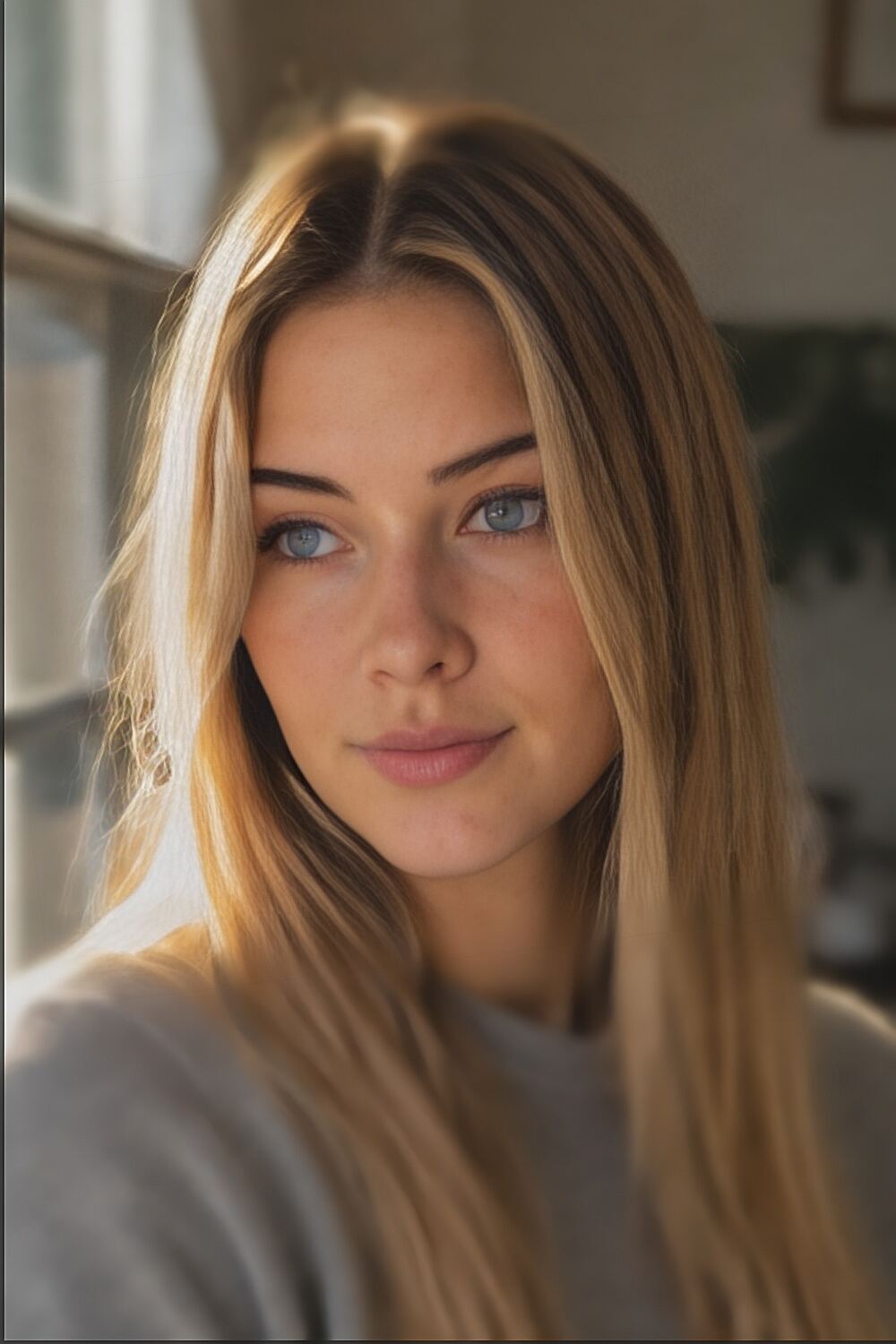
A small 240 by 360 pixel image, and the same image enlarged 4x:


Fine detail in the second pair is partly predicted, not recovered. That is normal for any upscaler.
Honest limits
- It cannot recover detail that is not in the photo. Strong motion blur and missed focus can look better, but not faithful.
- Faces can change. At low resolution an enhancer draws a plausible face, not necessarily the real one. Compare against the original before you share.
- Free use is limited. The app’s default is 3 free enhancements a day (the limit is set remotely and can change). When you run out you can watch a short ad for one more, or go Premium.
- Free modes include Unblur, Sharpen, Denoise and HDR. Upscale 4x, Restore old photo, Fix scratches, Colorize, Portrait and Remove background are Premium.
- Free saves can carry a small “Made with Zuriva” mark. Premium removes it.
Blurry faces
A blurry face is the hardest case, because people notice small errors in faces. Unblur mode sharpens edges around eyes and hair on mildly soft portraits. If the face is only a few dozen pixels wide, the result may look sharp and still not look like the person. Check eyes, teeth and skin at full size, and keep the original.
Free browser option and privacy
For slight softness, the free browser photo enhancer runs an unsharp mask in your browser and does not upload the image. It is a classic filter with no machine learning, so it will not rebuild detail.
Many “free online unblur” sites upload your photo to a server. Zuriva processes photos on the phone: the app says “Processing on your phone”, and we found no code in the app that sends your photos to a server. It does use the internet for ads, subscriptions, settings and the one-time model download from Google Play.
Working with older prints? See how to restore old photos on your phone.
FAQ
Can you unblur a blurry photo?
Mild blur, yes. Heavy motion blur or a missed focus, no, not faithfully. Software can only sharpen what was captured.
Is there a free way to unblur a photo on Android?
Yes. Zuriva’s Unblur mode is free within the daily limit, and the browser sharpener on this site is free with no limit.
Does unblurring upload my photo?
Not in Zuriva. Processing runs on the phone. The only download is the AI model, once per mode.
Why does my photo still look soft after unblurring?
The detail is probably not in the file. Try Denoise for grainy shots or a 4x upscale (Premium) for small images, and compare each result with the original.
Does it work on old or scanned photos?
Often for faded or scratched prints. See the guide on restoring old photos.
Try it
Get Zuriva on Google Play, or read more on the Zuriva app page.